All features

Everything Run The Club does

Every club starts with bookings, payments and registers. The rest is there when you want it: ask and we'll switch it on.

Screenshots are from a demo club. Every name in them is made up.

Bookings and money

Families book and pay. You stop chasing.

Your timetable, memberships and kit in one place, paid by card, with nothing to reconcile at the end of the month.

  • Online booking. Families see the sessions with space, book every child at once and pay by card.
  • Regular weekly places. Gymnasts keep a fixed slot each week, counted against the session’s capacity.
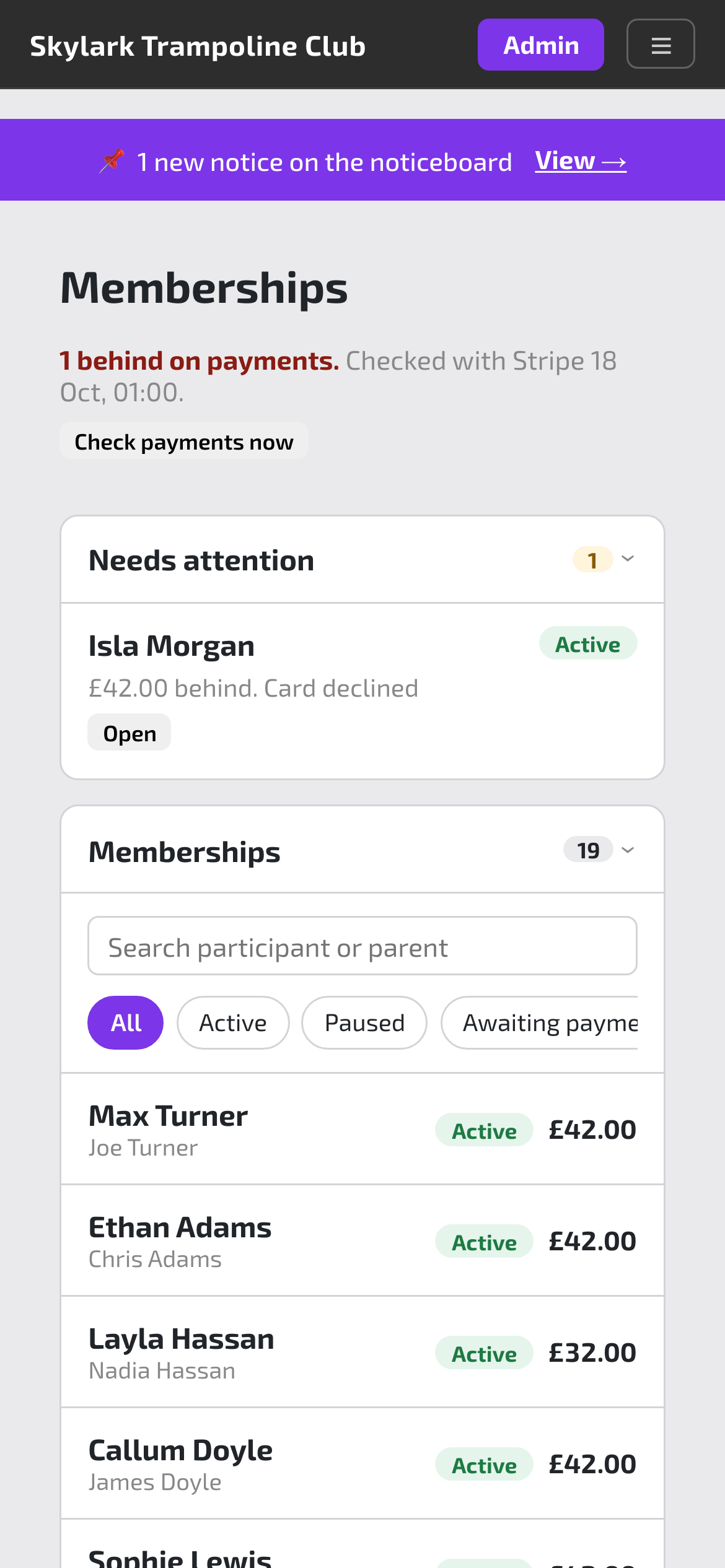
  • Monthly memberships. Taken by card on a schedule and tied to their weekly places, with a morning check that flags anyone who has fallen behind.
  • Family sign-up. Parents add their children with emergency contacts, health notes and photo consent.
  • British Gymnastics numbers checked. Lapsed and invalid numbers are flagged, with a grace period before bookings pause.
  • Kit sales. Club kit with sizes and initials, bought in the same basket as sessions.

Also: waitlists that offer a freed place automatically, closures refunded as credit, one-off charges and invoices for other clubs.
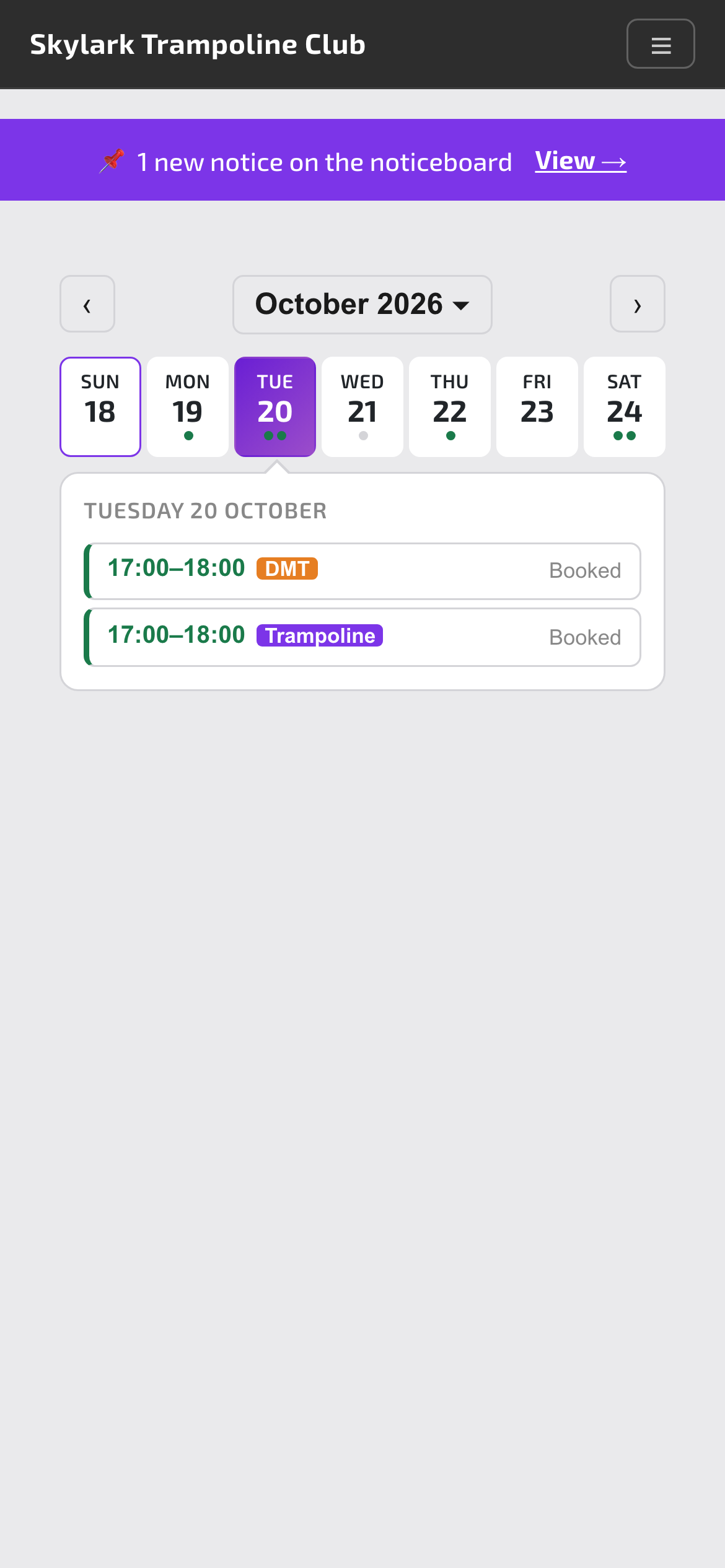
A parent’s booking calendar with this week’s sessions
What parents see
Memberships, with one family flagged as behind on payments
What you see

On the day

Everything for tonight’s session, on the phone in your pocket.

It installs on any phone’s home screen like an app, with no app store, and every page is built for a phone first.

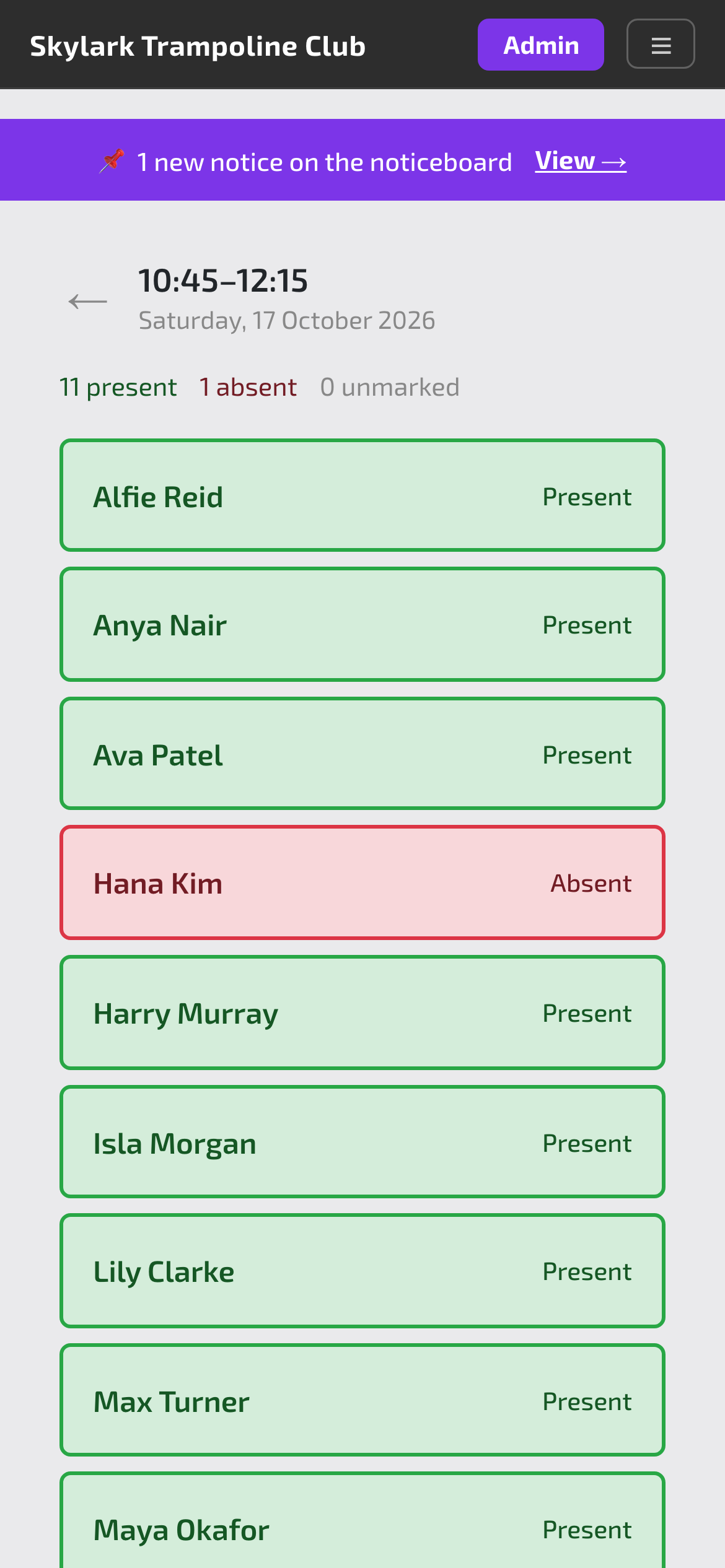
  • The register. Tap present or absent. Trampoline and double mini in the same hour sit on one screen.
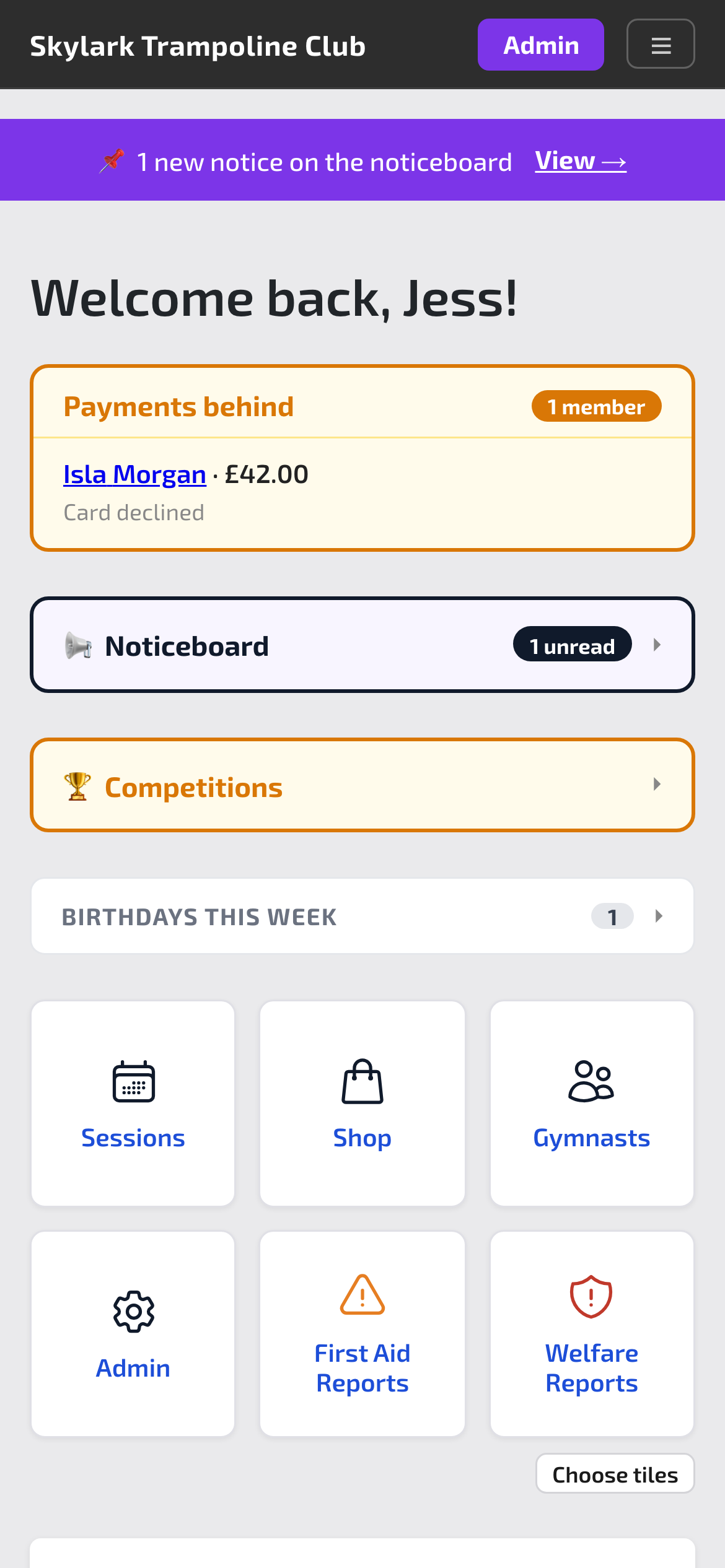
  • A home page for staff. Today’s sessions as big buttons, the code of the day, birthdays and anything that needs you.
  • Medical notes and consents to hand. Shown on the register when you need them, hidden from everyone else.

Also: coaches see who is waiting for a place, and can free up a regular’s slot when they’re away.

A session register with gymnasts marked present and absent
The register
The staff home page
Staff home

Progress

Every skill, level and routine, signed off as you coach.

Use your own levels for trampoline and double mini, and keep every gymnast’s progress in one place instead of on paper.

  • Your own level ladder. Levels with their skills, example routines and the competitions they lead to, plus a separate double mini path.
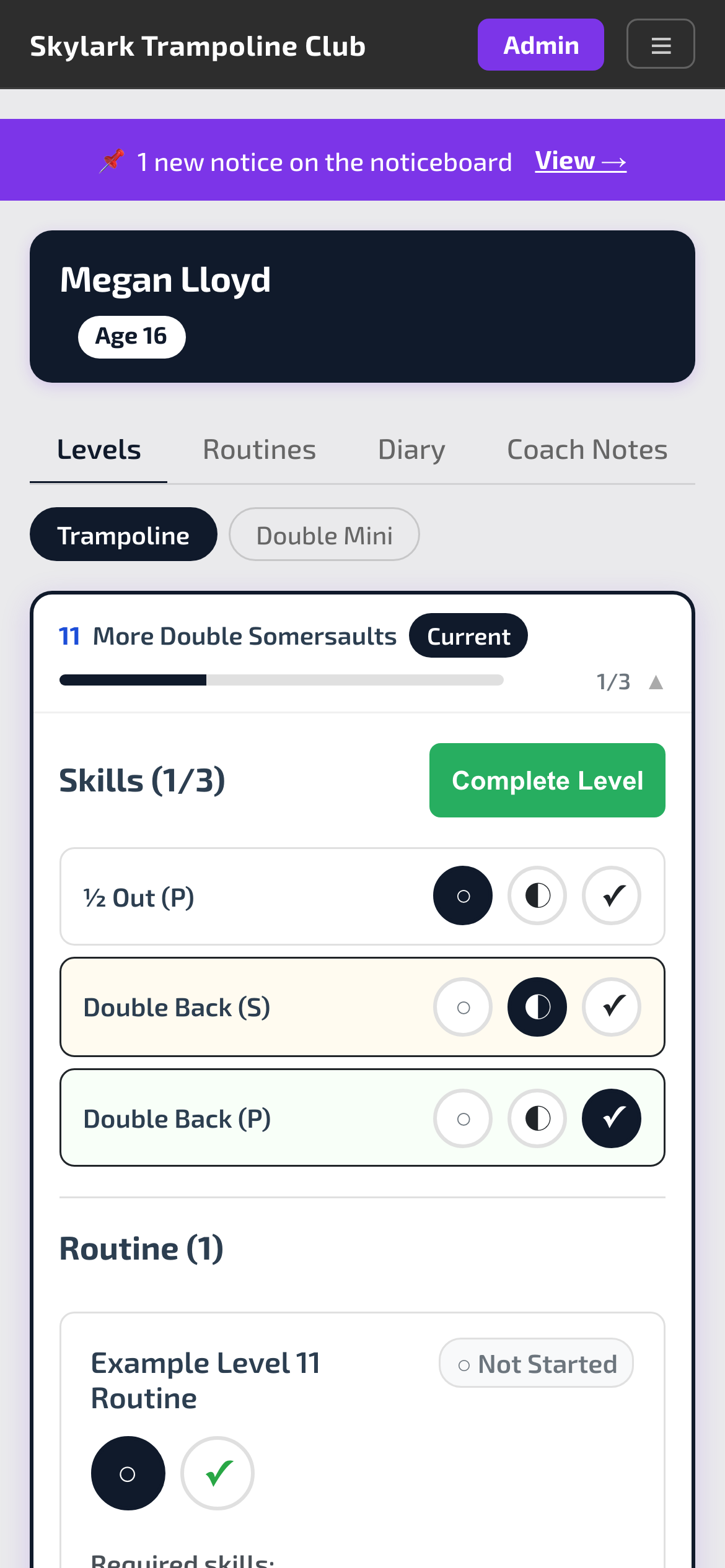
  • Sign off in two taps. Working on, or signed off, for each skill, routine and level.
  • A skills library with FIG difficulty. About 200 skills, with trampoline and double mini difficulty worked out from the Code of Points.
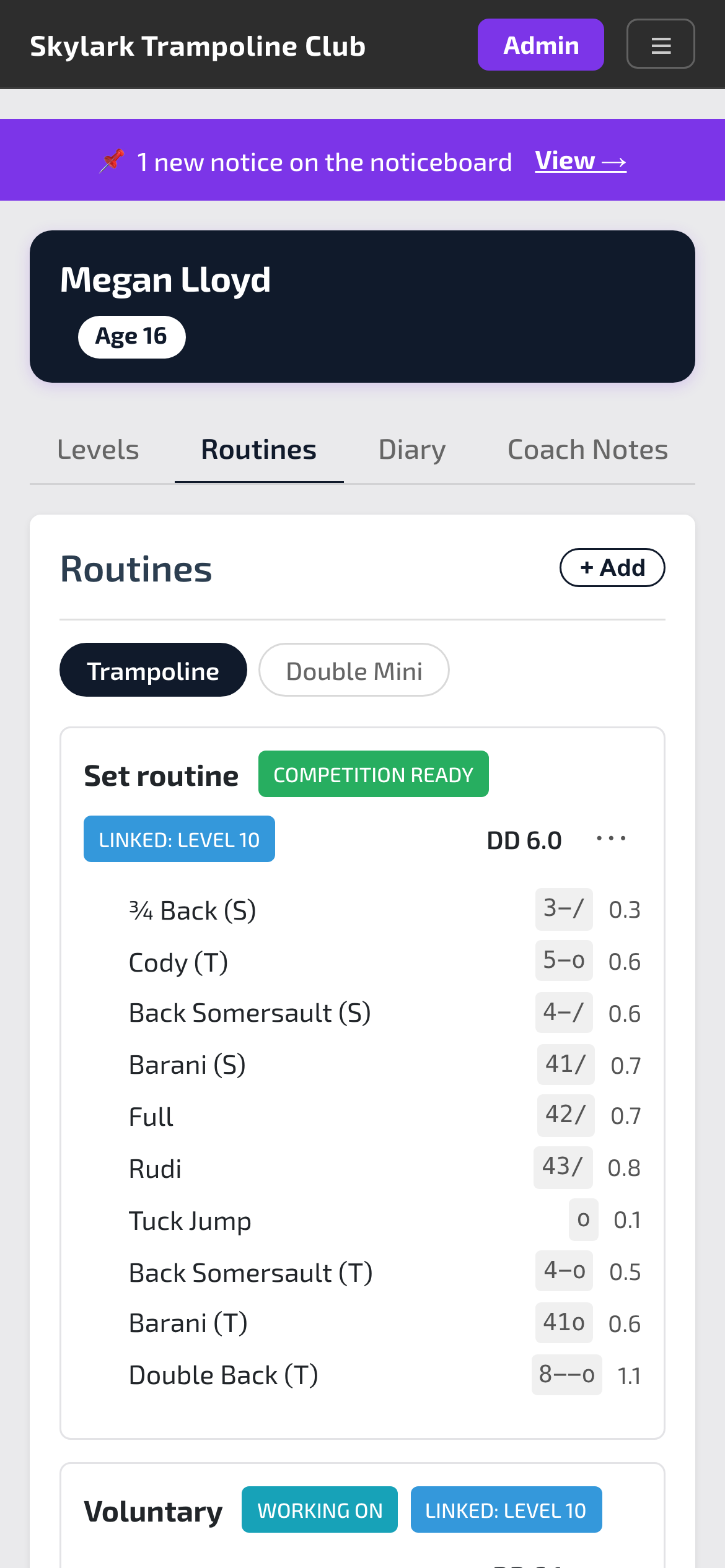
  • Routines with tariff. Built from the library, with the running total and repeated skills flagged as you go.
  • Checked against the rules. See while you’re editing whether a routine meets a competition category’s rules.
  • Progress history and certificates. A month-by-month record, and certificates on your own artwork.

Also: a Skill Matrix for signing off experienced joiners quickly, and copying routines to a whole squad.

Skill sign-off for a gymnast’s current level
Signing off a level
A routine with the difficulty of each skill and the total
A routine with tariff

Gymnasts

Their own app, without their own email address.

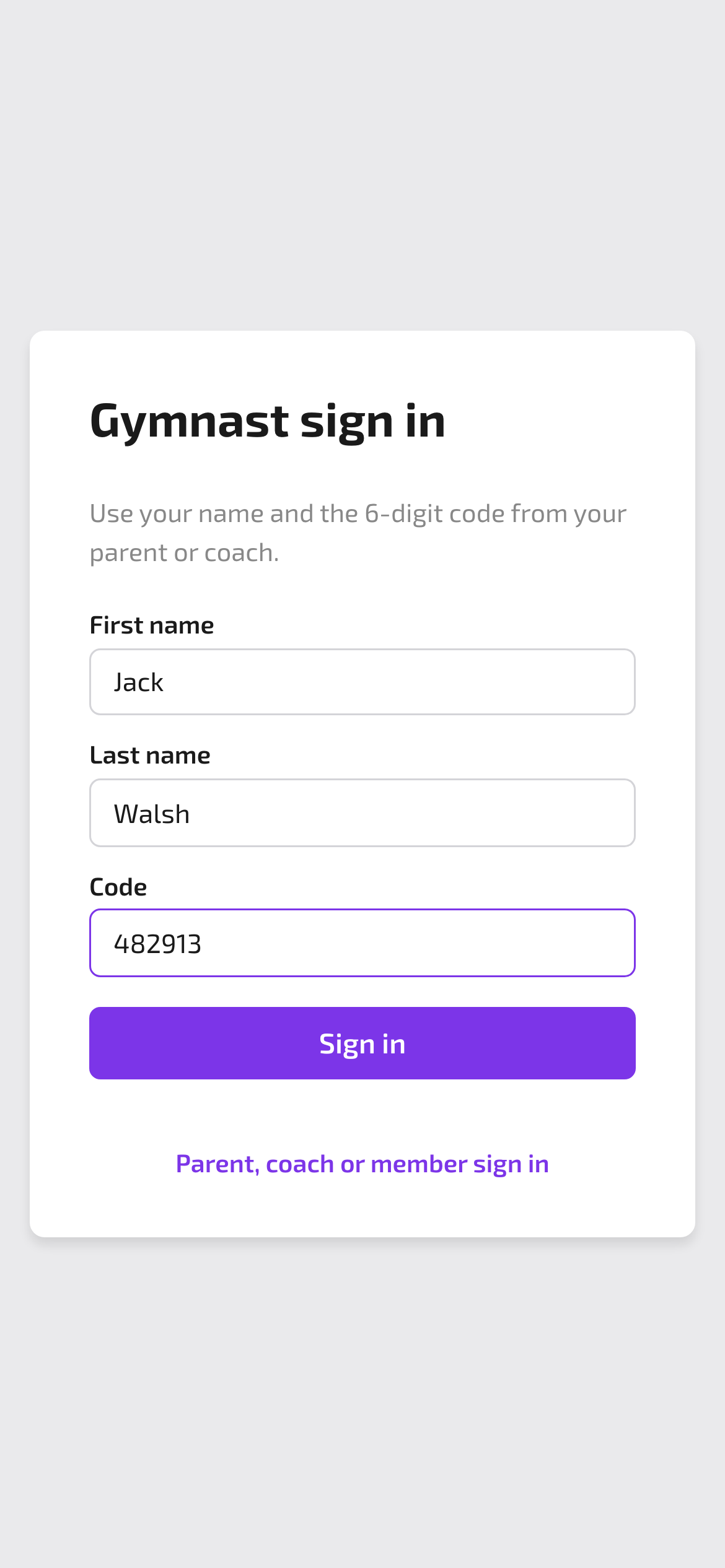
Gymnasts sign in with their name and a six-digit code from their parent or coach. You never collect an email address or phone number from a child.

  • The gymnast app. Their level, routines, certificates and diary, in your club’s colours.
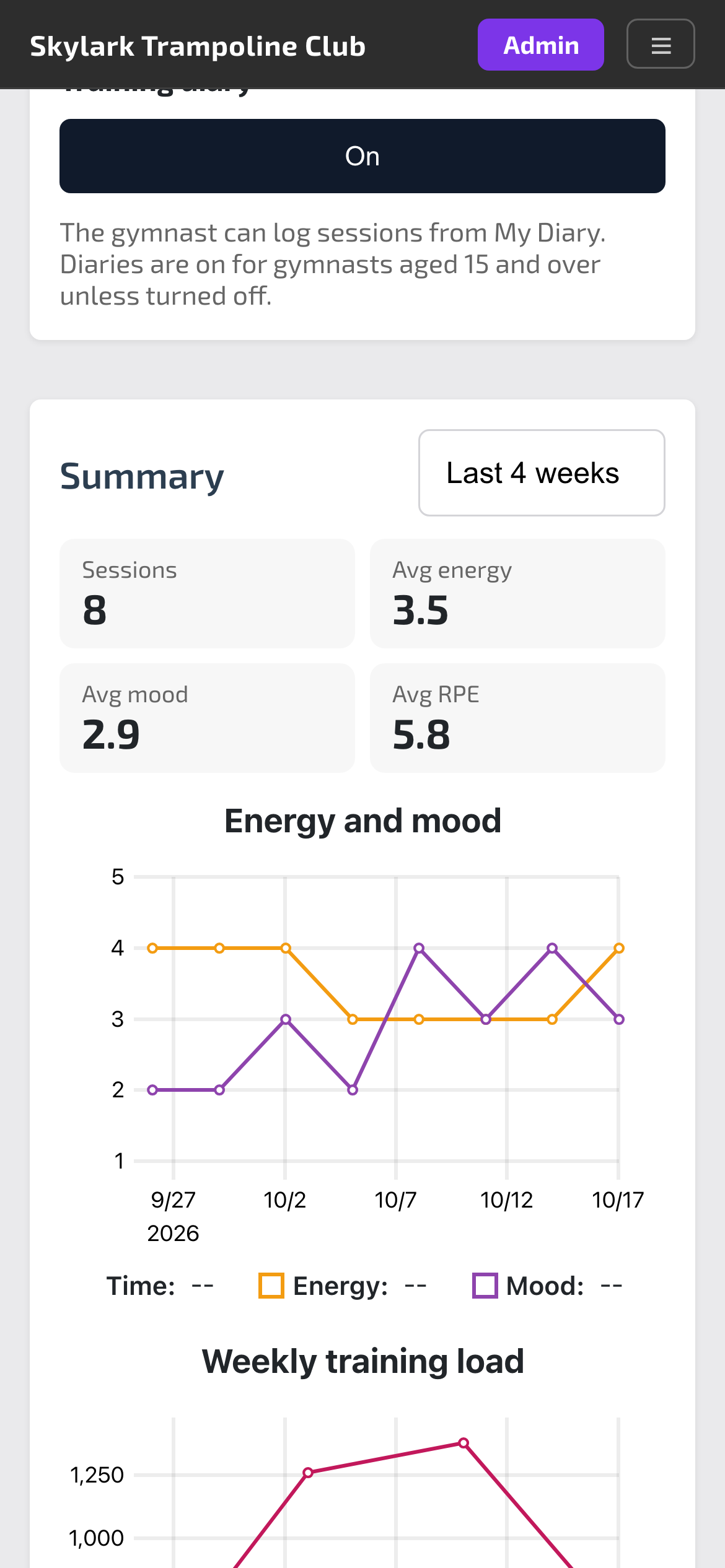
  • A training diary. Energy, mood, food, goals and effort for each session. It turns on at 15, and coaches see the trends.
  • Codes, not passwords. Parents can make a code for home, and coaches have a code of the day for the hall.

Also: gymnasts can enter their own routines for a coach to check.

Gymnast sign in with first name, last name and a six-digit code
Signing in
A coach’s view of a gymnast’s diary, with energy and mood over four weeks
The diary, for coaches

Competitions

From invite to competition day, without the spreadsheet.

Set up the event once and the app handles invites, entries, payments and the paperwork.

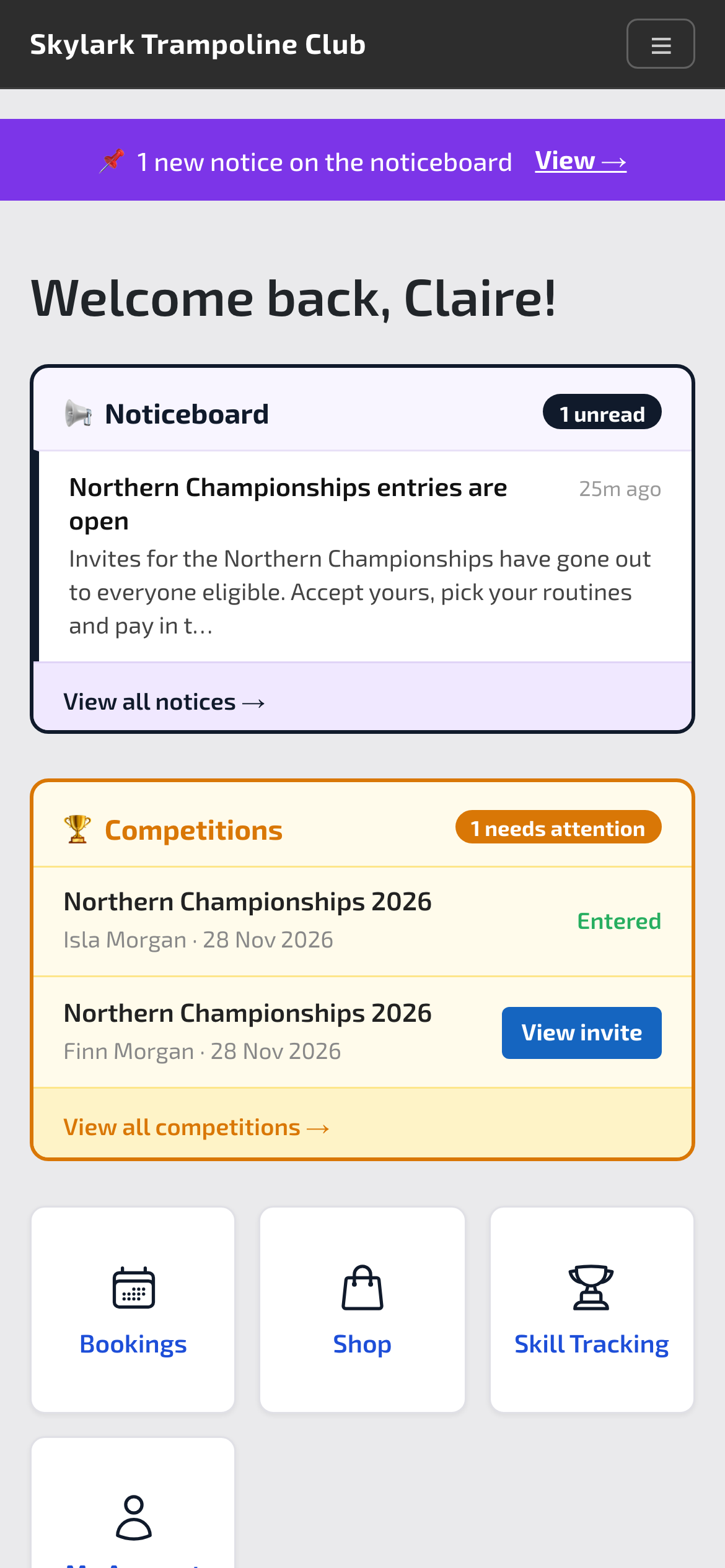
  • Smart invites. Invite by age band, gender and recent training. Parents are only offered categories their child can enter.
  • Accept and pay in one step. Parents read the requirements, choose categories and pay. The price follows the number of entries.
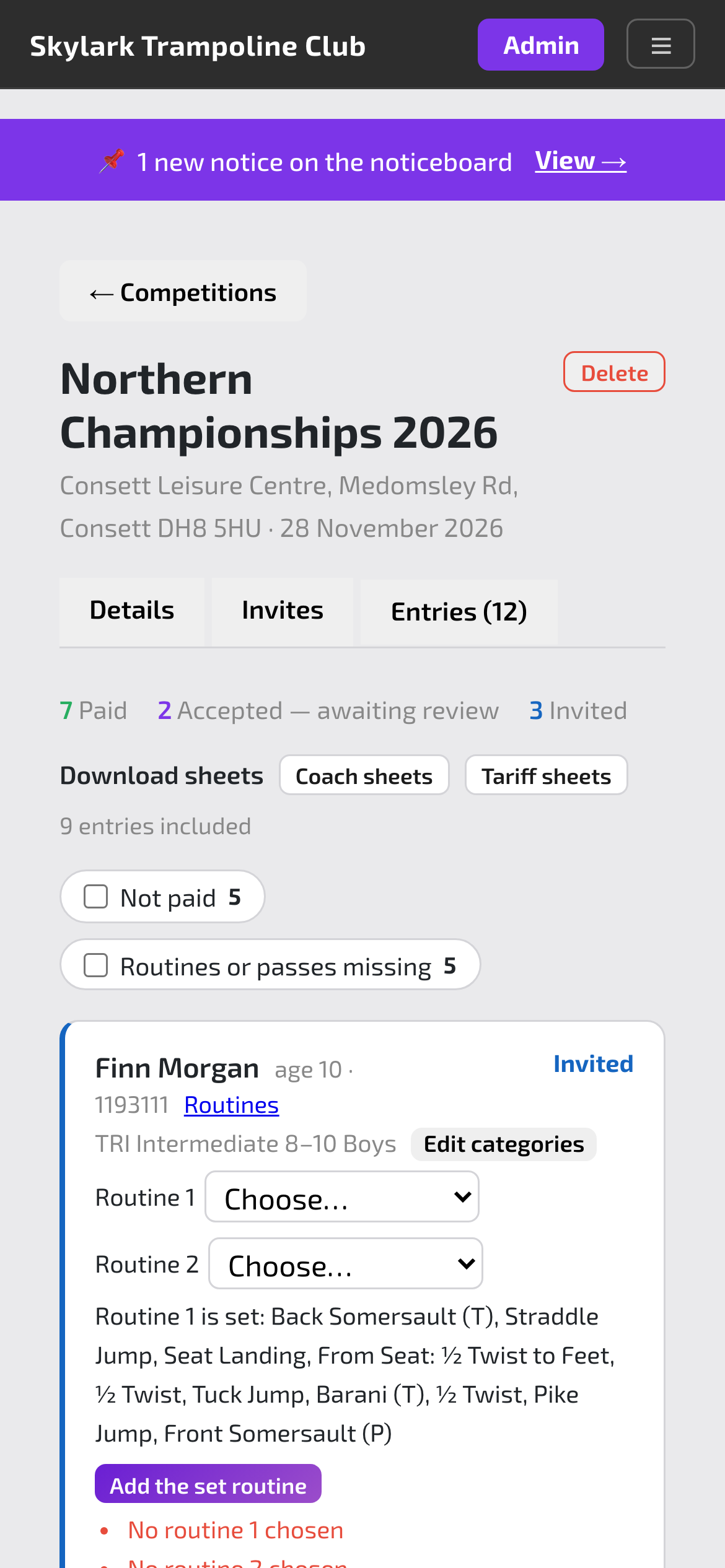
  • Competition-day sheets. Coach sheets and pre-filled tariff sheets for every entry, as one PDF.
  • The rules in one place. This year’s requirements for every competition, searchable, with links to the official documents.

Also: filters for who hasn’t paid or chosen routines, synchro pairs and reminders.

A competition’s entries, with paid and invited counts and sheet downloads
Entries
A parent’s home page with a competition invite
What parents see

Safeguarding

Reports, signatures and privacy, done properly.

The paperwork welfare officers need, kept where only the right people can see it.

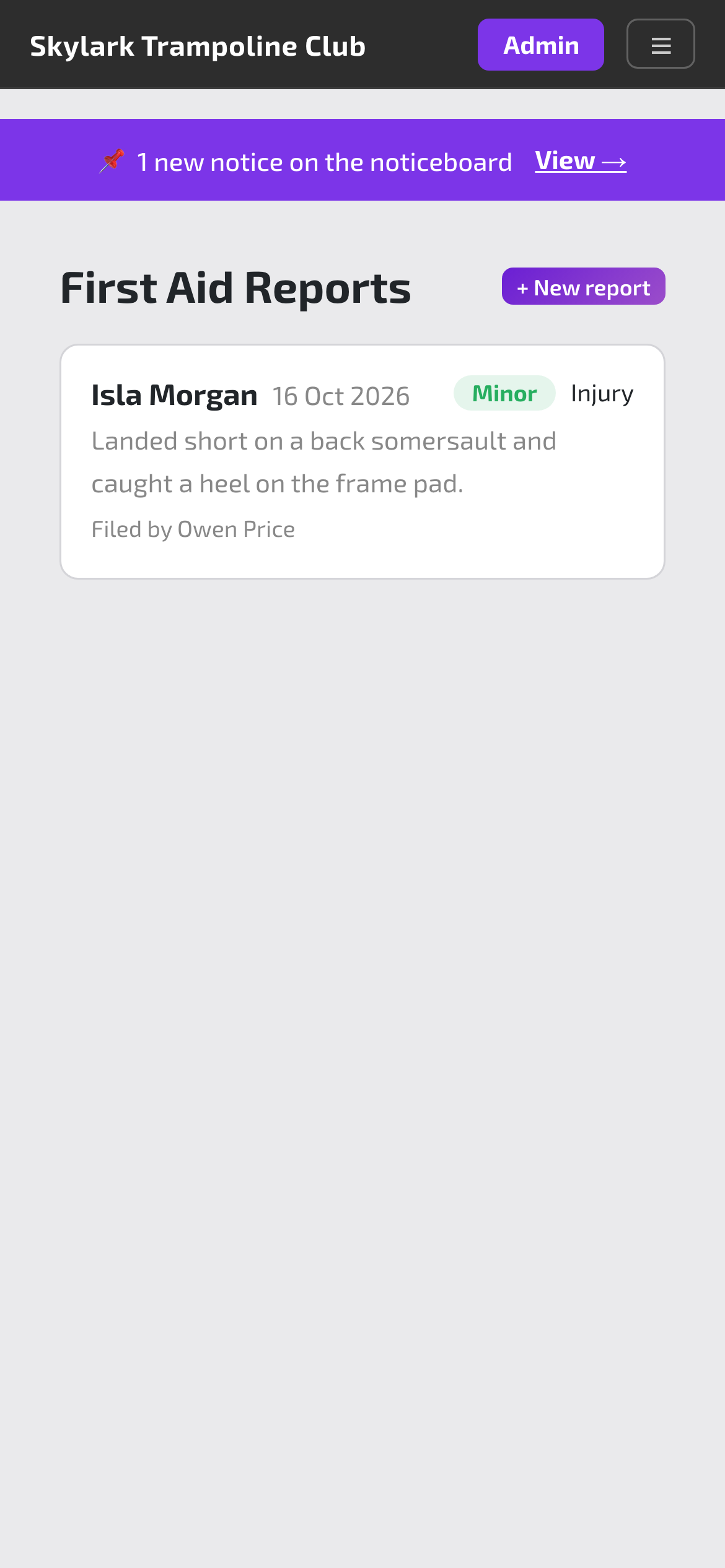
  • First aid reports. Logged on a phone after an injury. Parents are emailed an hour later.
  • Welfare reports. Confidential, with attachments, signed by the person filing them and signed off by the welfare officer.
  • Privacy by role. Coaches don’t see money, parents never see other families, and medical details stay hidden until tapped.

Also: outcomes shared with families to read and sign, and a staff code of conduct to sign.

A first aid report for a minor injury
First aid

Your club

Your name, your colours, your noticeboard.

Families see your club, not ours.

  • Your branding. Your logo, colours and font throughout the app.
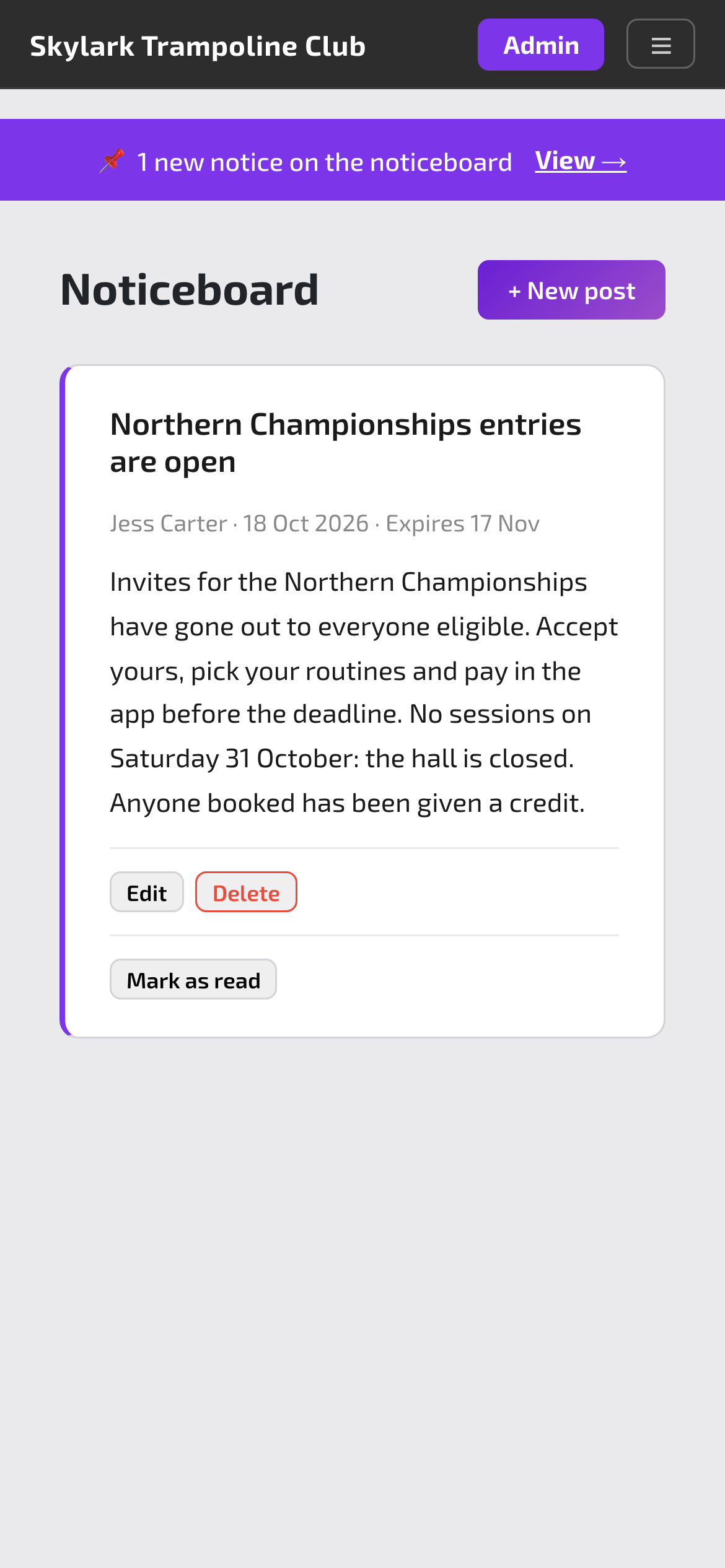
  • A noticeboard. Posts with pictures and an unread count, emailed too if you like.
  • Targeted emails. Email by session, membership or recent attendance, now or scheduled.
The club noticeboard with a post about competition entries
The noticeboard

Every feature on this page is used every week by a real trampoline club: its coaches, its parents and its gymnasts. It was built by the club's own coach, so it works the way a club actually runs.

Want to see it running at your club?